When using wireless data transmission modules, users often encounter challenging issues due to limited understanding of wireless communication. For instance, why can’t two modules establish communication properly? Or why does the actual communication range fall short of expectations? These problems are often closely related to improper communication parameter settings, complex usage environments, and interface interference. This article outlines some common issues encountered during module usage and their respective solutions.
Incorrect Data Received During Communication
First, check whether the module’s logic level interface is compatible with the connected device. Next, verify that the module’s serial port parameters match those of the device—such as baud rate, parity bit, data bit, and stop bit.
Two Wireless Modules Cannot Communicate
Start by confirming that the module’s logic level interface matches the connected device. Then check whether the serial port parameters (baud rate, parity bit, data bit, and stop bit) are correctly configured.
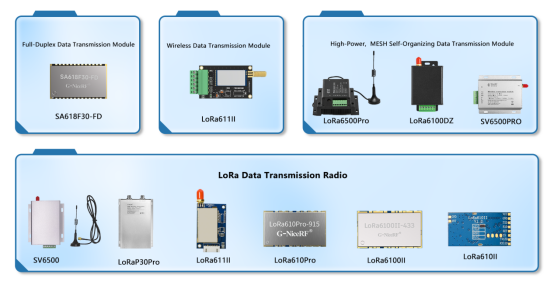
Two Wireless Modules Cannot Communicate
If the two modules are unable to communicate normally, troubleshoot from the following aspects:
First, confirm whether the interface connections are correct, whether the power supply is stable, and whether the data lines are securely connected. You can make an initial assessment based on the module’s indicator lights—typically, the red light should illuminate during transmission, and the green light should illuminate during reception. If the red light does not turn on during transmission, the power supply or data connection may be faulty. If the green light does not turn on during reception, also check the power and data line connections thoroughly.
Next, ensure that both modules have identical settings for frequency, channel, and over-the-air data rate. You can use the accompanying PC configuration tool to verify and adjust these parameters.
If none of the above steps resolve the issue, try replacing the transmitting or receiving module to rule out the possibility of a hardware failure.
Short Communication Distance or Unstable Connection
First, check whether there are any metal objects obstructing the module, and observe if there is interference from other devices operating on the same frequency nearby. Also verify whether the antenna type is compatible and properly installed. For optimal communication performance, the antenna should be mounted in a high and open area.
Next, review the module’s receive sensitivity parameters (such as -117 dBm, -130 dBm, etc.) to evaluate its reception capability.
Finally, if the application allows, it is recommended to reduce the over-the-air baud rate as much as possible. A high air baud rate can negatively affect the communication range.
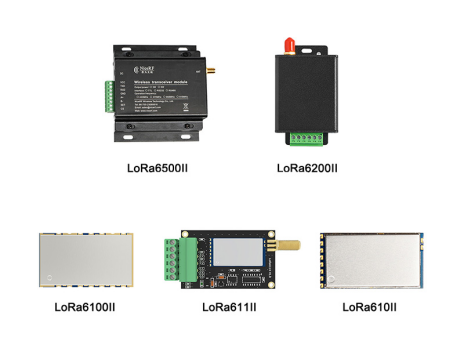
Analysis of Causes for Receiving Data Errors
Inconsistent Data Format: When communicating between master and slave devices, mismatched protocols—such as inconsistent frame headers/footers, checksum settings, or start/stop bit configurations—can result in failed data recognition.
Mismatched Baud Rate or Parameters: The baud rate, parity bit, data bits, and stop bits must be identical between the transmitting (TX) and receiving (RX) ends. Any mismatch may lead to garbled data or failed reception.
Channel Interference or Crosstalk: When multiple devices operate on the same channel or adjacent frequencies, interference can occur. It’s recommended to use frequency hopping or staggered channel settings to reduce conflict.
Delayed Reception: If the MCU’s serial buffer is too small or cannot process incoming data in time, this can lead to dropped frames or data arriving out of order.
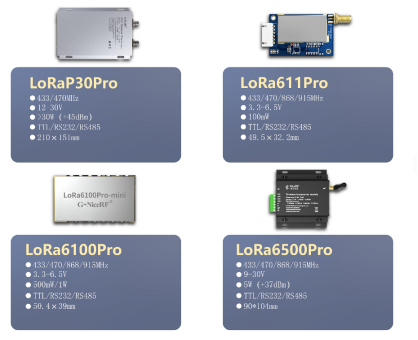
Other Commonly Overlooked Issues
Unstable Module Power Supply: Voltage fluctuations or insufficient power supply can reduce transmission power or even cause the module to crash or reset.
Improper Grounding: Especially in multi-module systems, failure to share a common ground or excessive ground loop noise can lead to abnormal data.
Inappropriate Antenna Selection: An unmatched antenna (e.g., with impedance mismatch) can significantly degrade both transmission and reception quality.
Floating RX Pin or Logic Level Mismatch: If the RX pin is not properly connected or if there’s a voltage level mismatch between the MCU and the module, data cannot be reliably received.
While wireless data transmission modules may appear plug-and-play, achieving stable and reliable communication requires close attention to detail. A deep understanding of how the module works—along with vigilance toward commonly overlooked factors—is essential for ensuring smooth and dependable operation.
Related Reading
Common Features of Three LoRa Data Transmission Modules: Multi-Level Safety Protection, Flexible Networking, and Stable Communication
Applications and Advantages of Wireless Data Transmission Modules in Highway, Railway, and Tunnel Communications
Ensuring Reliability and Stability in LoRa Data Transmission Modules - Power-On Self-Check


 English


 +86-755-23080616
 sales@nicerf.com