

 English

Contact us
HOME > ABOUT US > PRODUCT INFORMATION > UV DUAL-BAND MODULE ANTENNA SELECTION GUIDE: WHY C...
UV Dual-Band Module Antenna Selection Guide: Why Can Your 4W Module Perform Like a 1W Module?
30
Jun . 2026
By NiceRF Team
Updated: Jun 30, 2026
"I purchased your 4W DMR558 module. According to the datasheet, it should achieve a communication distance of 6 km in open areas, but my actual test only reaches a little over 1 km. Are the specifications exaggerated?"
This is one of the most common questions received by our technical support team. In many cases, the antenna is the primary cause of the issue.
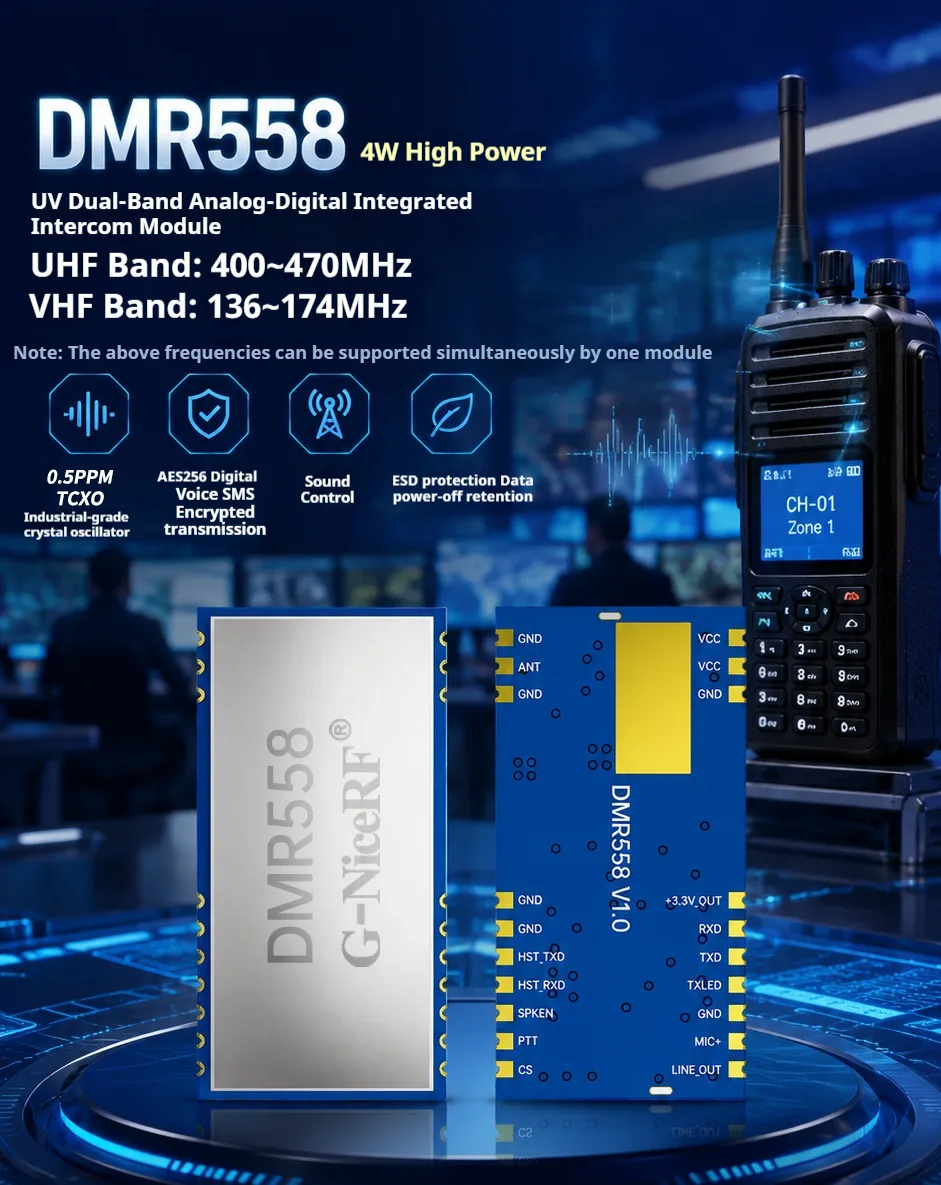
For a 4W transmitting module, if the antenna is not properly matched, the actual radiated power can be significantly reduced. Today, let's discuss the antenna selection considerations for NiceRF's DMR558 module and how to fully unleash its performance.
The Principle: Relationship Between the Antenna and the Module
What Determines Actual Radiated Power?
Many engineers have a misconception that if a module is rated at a certain power level, the antenna will automatically radiate the same amount of power.
In reality, the process is:
Module Output Power → Feed Line → Antenna Interface → Antenna Radiation
If any link in this chain has a problem, the final radiated power will be reduced.
VSWR: An Often Overlooked Parameter
VSWR (Voltage Standing Wave Ratio) is a key indicator of how well the antenna matches the module.
In simple terms:
VSWR = 1.0: Perfect match, all power is radiated.
VSWR = 1.5: About 96% of the power is radiated, while approximately 4% is reflected back.
VSWR = 2.0: About 89% of the power is radiated, while approximately 11% is reflected back.
VSWR = 3.0: About 75% of the power is radiated, while approximately 25% is reflected back.

Where does the reflected power go?
It is converted into heat and dissipated by the module's power amplifier.
This is why communication distance drops significantly when an antenna is mismatched. Long-term use of a mismatched antenna may even cause overheating and damage to the module.
Therefore, an antenna is not merely an accessory that can be plugged in—it is an integral part of the RF system.
Antenna Matching Requirements for DMR558
According to the DMR558 datasheet:
Parameter | Requirement |
|---|---|
Antenna Impedance | 50Ω |
Frequency Range (VHF) | 136–174 MHz |
Frequency Range (UHF) | 400–470 MHz |
DMR558 is a UV dual-band module that supports both VHF and UHF frequency bands.
This means:
If you only operate in the UHF band, you may choose a UHF-only antenna.
If you need to switch between both frequency bands, a UV dual-band antenna is required.
Common Pitfalls in Antenna Selection
Pitfall 1: Looking Only at “UV Dual-Band” Without Checking the Frequency Range
Many antennas are labeled as "UV dual-band," but actually only cover amateur radio bands (144–148 MHz and 430–440 MHz).
If your module operates at 160 MHz or 460 MHz, the antenna may not be properly matched.
Solution:
Confirm your actual operating frequency and ensure the antenna's specified frequency range fully covers it.
Pitfall 2: Ignoring the Connector Type
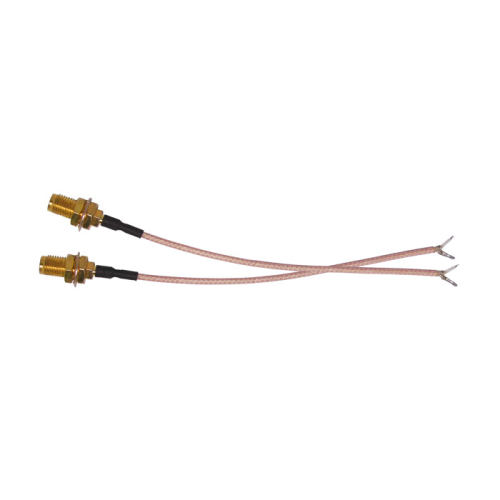
The ANT pin of the DMR558 is a solder pad and must be connected to the antenna through a coaxial cable.
Common connector types include IPEX and SMA. Male and female connectors must be properly matched.
Solution:
Before purchasing an antenna, verify the connector type used by your device enclosure.
Connector Type | Features | Typical Application |
|---|---|---|
IPEX / IPEX4 | Miniature, surface-mounted | Internal module connection |
SMA-K (Female) | Standard RF connector | Enclosure feed-through |
SMA-J (Male) | Standard RF connector | Antenna side |
Pitfall 3: Improper Feed Line Selection
The feed line connects the module to the antenna.
In practical applications, feed lines introduce two common issues:
Issue 1: Feed Line Loss
All feed lines introduce signal attenuation.
The longer the cable, the greater the loss.
This means that by the time the signal reaches the antenna, the available power may already be significantly reduced.
Issue 2: Connector Loss
Every connection point between the module, feed line, and antenna introduces a small amount of signal loss.
Loose or oxidized connectors can make the loss even worse.
Practical Recommendations:
- Keep feed lines as short as possible.
- Tighten SMA connectors to a naturally snug fit; do not use tools to overtighten them.
- Avoid excessive bending of the feed line.
- If communication distance suddenly decreases, first check for loose connectors or damaged cables.
NiceRF Experience:
In technical support cases, we have encountered many instances where communication distance suddenly dropped. The root cause was often a loose connector or a feed line that had been stepped on or excessively bent.
The physical integrity of the feed line is often more likely to cause problems than its electrical specifications.
Pitfall 4: Poor Grounding
An antenna requires a ground plane to act as a reflector.
For handheld devices, the human body effectively becomes part of the ground plane.
This is why a walkie talkie held in your hand may achieve a different communication distance than one placed on a table.
Solution:
Whenever possible, connect the PCB ground plane to the ground of the antenna connector.
Pitfall 5: Is Higher Gain Always Better?
High-gain antennas can indeed improve signal strength, but they come with trade-offs.
Antenna Gain | Radiation Pattern | Suitable Applications |
|---|---|---|
0–2 dBi | Nearly spherical | Handheld and mobile devices |
3–5 dBi | Flattened pattern | Vehicle-mounted and fixed installations |
Above 5 dBi | Very flat pattern | Base stations and point-to-point links |
Conclusion:
For handheld devices, high-gain antennas may actually perform worse if they are not properly oriented.
A 2–3 dBi omnidirectional antenna is generally the best choice for handheld mobile applications.
Antenna Selection Guide for Different Applications
Application Scenario | Recommended Antenna Type | Recommended Gain | Recommended Connector | Recommendation |
|---|---|---|---|---|
Handheld Walkie Talkie | Rubber Duck Antenna | 2–3 dBi | SMA-J | SW-UV203, compact and lightweight |
Vehicle/Mobile | Magnetic Mount Antenna | 3–5 dBi | SMA-J (with feed line) | Roof mounting provides a good ground plane |
Fixed Base Station | Fiberglass Antenna | 5–8 dBi | N-Type or SMA | Outdoor pole installation with low-loss cable |
Concealed Installation | FPC Flexible Antenna | 0–2 dBi | IPEX | Mounted inside enclosure, lower gain |
Walkie Talkie Repeater | High-Gain Fiberglass Antenna | 6–9 dBi | N-Type | Requires professional installation and tuning |
If you prefer a proven solution, NiceRF's SW-UV203 UV dual-band omnidirectional whip antenna is an excellent choice.
Parameter Comparison
Matching Item | DMR558 Requirement | SW-UV203 Specification |
|---|---|---|
Frequency Range (VHF) | 136–174 MHz | 136–174 MHz |
Frequency Range (UHF) | 400–470 MHz | 400–470 MHz |
Input Impedance | 50Ω | 50Ω |
VSWR | The lower, the better | ≤1.5 |
Maximum Power | 4W Transmission | 10W |
Radiation Pattern | Omnidirectional | Omnidirectional |
Polarization | Vertical Polarization | Vertical Polarization |
Data source: SW-UV203 Product Datasheet
Usage Notes
- The antenna uses vertical polarization. Keep the antenna vertically upright during operation for optimal performance.
 The antenna adopts an SMA-J (male) connector. The device side should use an SMA-K (female) connector.
Troubleshooting Decision Tree: Why Is the Communication Distance Short?
If your communication range does not meet expectations, check the following in order:
- Is the supply voltage sufficient? When the voltage drops below 7V, actual output power may be reduced to only 1–2W.
- Is the antenna frequency properly matched? Verify that the antenna covers your operating frequency.
- Is the VSWR within a normal range? If available, use a network analyzer to test it.
- Are there any problems with the feed line or connectors? Check for looseness, damage, or excessive bending.
- Is there interference or obstruction in the environment? Try testing from a different location.
If all of the above have been checked and the issue remains unresolved, please contact our technical support team.

Final Notes
If the transmission distance of the DMR558 module does not meet expectations, first inspect the antenna configuration.
A 4W module can only achieve its rated communication performance when paired with a properly matched antenna.
Remember these key numbers:
- 50Ω: Antenna impedance
- 136–174 MHz / 400–470 MHz: The antenna frequency range must cover your operating frequency
- ≤1.5: The lower the VSWR, the better
If you prefer to avoid the complexity of antenna selection parameters, we recommend NiceRF's official SW-UV203 antenna.
It helps the DMR558 module consistently deliver its intended communication performance and provides a more reliable and hassle-free solution.
Contact Us
 +86-755-23080616
 sales@nicerf.com
Website: https://www.nicerf.com/
Address: 309-315, 3/F, Bldg A, Hongdu business building, Zone 43, Baoan Dist, Shenzhen, China