

 English

Contact us
HOME > ABOUT US > PRODUCT INFORMATION > HOW TO CALCULATE AND VALIDATE A LORA LINK BUDGET
How to Calculate and Validate a LoRa Link Budget
12
Aug . 2026
By NiceRF Team
Updated: Oct 27, 2026
NiceRF LoRa2021 has a typical transmit power of 21 dBm in the Sub-GHz band. At SF10 and a bandwidth of 125 kHz, its typical receive sensitivity is -136 dBm, giving the module an RF link budget of approximately 157 dB. After adding the gains of the SW868-ZD210 antennas at both ends, the losses beyond the ANT ports, and the design margin, you can calculate the maximum allowable path loss. You can then use the free-space path loss at 860.5 MHz over 1.8 km to check the available margin. We tested LoRa2021 communication at 876 m, 1.4 km, and 1.8 km and recorded the number of packets received at each point. Before actual deployment, we recommend using two LoRa2021 DEMO boards to conduct a field test in the intended application environment and confirm the packet loss rate at the target distance.

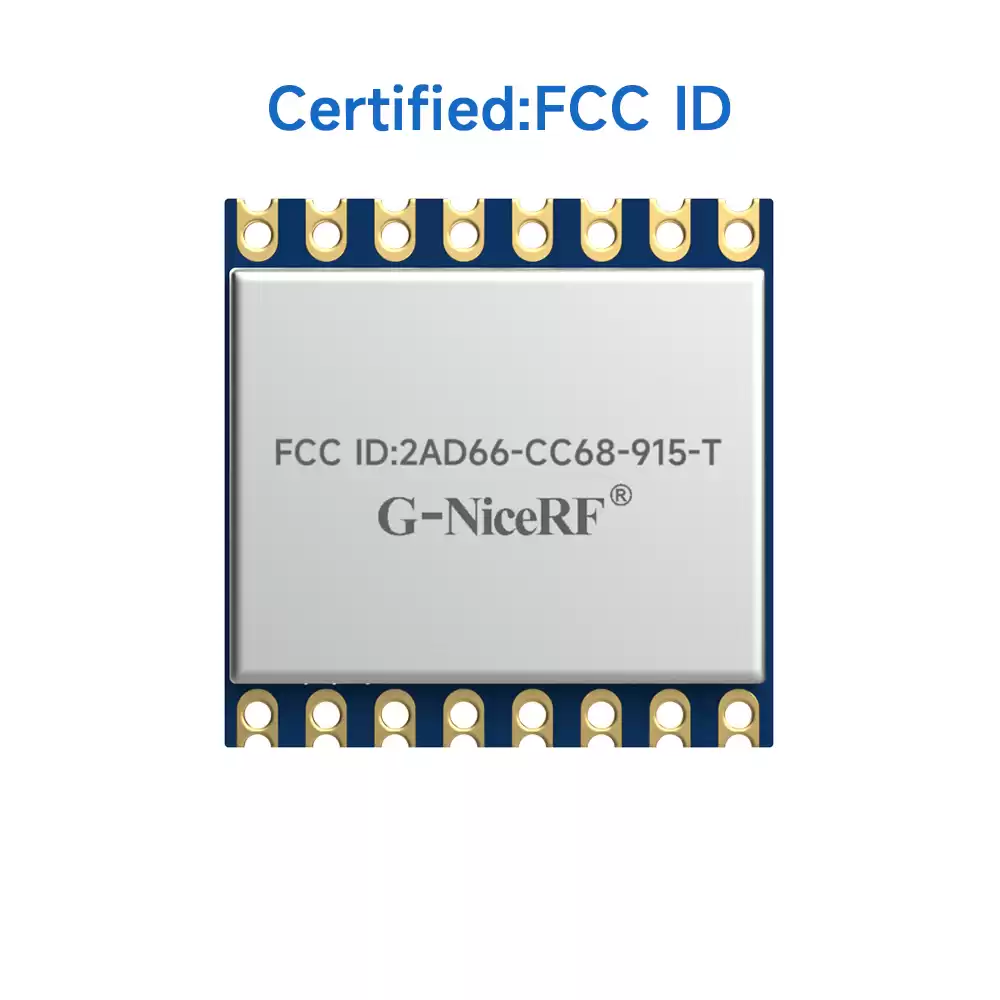
LoRa2021 multiband wireless communication module
Three key quantities in a LoRa2021 link budget
The module RF link budget equals the transmit power minus the receive sensitivity:
B_radio = P_TX - S_RX
P_TX is the module's transmit power under the actual configuration, in dBm. S_RX is the receive sensitivity for the same modulation settings, also in dBm. For the LoRa2021 parameters used here, 21 dBm - (-136 dBm) ≈ 157 dB.
After adding the antenna gains at both ends and the losses beyond the ANT ports, the following equations apply:
Maximum allowable path loss
L_path,max = P_TX + G_TX + G_RX - L_TX - L_RX - L_add - S_RX - M_req
Predicted received power
P_RX = P_TX + G_TX + G_RX - L_TX - L_RX - L_add - L_path
Link margin
M_link = P_RX - S_RX
G_TX and G_RX are the antenna gains at the two ends. L_TX and L_RX are the RF interconnect losses at the two ends. L_add covers separately estimated link losses such as polarization mismatch. L_path is the propagation loss of the target path. M_req is the design margin required by the project.
When a free-space or empirical model is used, M_link is the calculated margin. Once the path loss and other measured losses in the target environment are available, substitute them into the equations to obtain the site-specific link margin. M_link ≥ 0 dB means that the predicted received power reaches the specified sensitivity threshold. If the project requires a design margin of M_req, then M_link ≥ M_req must be satisfied. You can also check L_path ≤ L_path,max or P_RX ≥ S_RX + M_req directly.
Define the LoRa2021 operating parameters before calculating the link budget
Input category | What the project must define | Role in the budget |
|---|---|---|
Module | Exact model, frequency-band version, supply conditions, and actual power setting | Determines P_TX and its operating conditions |
LoRa configuration | SF, BW, coding rate, and the corresponding receive sensitivity | Determines S_RX for the selected configuration |
Antennas | Model at each end, frequency band, rated gain, polarization, and mounting orientation | Determines G_TX, G_RX, and the polarization conditions |
RF interconnects | Feedlines, connectors, external matching, plus antenna mismatch and enclosure effects not included in the gain data | Determines L_TX, L_RX, and the relevant additional losses |
Path | Frequency, distance, antenna height, terrain, obstacles, and environmental variation | Used to calculate or measure L_path |
Project requirements | Target packet loss rate or availability, bidirectional communication requirements, and design margin | Determines M_req and the acceptance criteria |
This article starts the calculation at the LoRa2021 ANT ports. The transmit power and receive sensitivity in the module specifications already include the effects of the internal matching networks and RF paths, so those internal losses must not be counted again. L_TX and L_RX include only feedline, connector, and external matching losses beyond the ANT ports. Antenna mismatch, enclosure, and installation effects belong in L_add when they are not already included in the antenna gain data.
The LoRa2021 has a typical Sub-GHz transmit power of 21 dBm and a maximum of 22 dBm. Its typical receive sensitivity is -136 dBm in the Sub-GHz band at SF10 and BW 125 kHz. This example uses those SF10 and BW 125 kHz parameters.
Example LoRa2021 link budget for a 1.8 km path
The following calculation uses the LoRa2021 transmit power and receive sensitivity, the gain of the SW868-ZD210 antennas, and the 860.5 MHz, 1.8 km field-test conditions. The field packet reception data show how the link performed at different distances.
Parameter | Value | Basis |
|---|---|---|
Transmit power | 21 dBm ± 1 dB | LoRa2021 field-test condition |
Receive sensitivity | -136 dBm | Typical LoRa2021 value, Sub-GHz, SF10, BW 125 kHz |
Transmit antenna gain | 3.0 dBi | SW868-ZD210 rated value |
Receive antenna gain | 3.0 dBi | SW868-ZD210 rated value |
Frequency | 860.5 MHz | LoRa2021 field-test condition |
Test distance | 1.8 km | Field-test distance |
Using the values in the table, first calculate the module RF link budget, the combined antenna gain, and the free-space path loss:
B_radio = 21 - (-136) ≈ 157 dB
Module RF link budget + gains of both antennas = 157 + 3 + 3 ≈ 163 dB
L_FSPL = 32.4 + 20log10(f_MHz) + 20log10(d_km)
L_FSPL = 32.4 + 20log10(860.5) + 20log10(1.8)
≈ 96.2 dB
163 - 96.2 ≈ 67 dB
After subtracting the 96.2 dB free-space path loss, approximately 67 dB remains. This value does not yet account for the interconnect losses at either end, additional losses, or the design margin. Because the transmit power is 21 dBm ± 1 dB, the calculation is expressed as an approximate value. After prototype testing, substitute the measured losses into the equations and recalculate the budget.
If the transmit-side and receive-side losses beyond the ANT ports are each assumed to be 1 dB, the two antennas have the same polarization, any additional loss (L_add) is assumed to be 0 dB, and a 15 dB design margin is reserved, then:
L_path,max = 21 + 3 + 3 - 1 - 1 - 0 - (-136) - 15
≈ 146 dB
Under these example conditions, subtracting 1 dB of interconnect loss at each end and reserving a 15 dB design margin gives a maximum allowable path loss of approximately 146 dB. In an actual project, replace the assumed 1 dB loss at each end with measured feedline, connector, and external matching losses, and set the design margin according to the required reliability.
LoRa2021 field test distances and packet reception results
During a field test near Qianhai Bay in Shenzhen, we used LoRa2021 modules, LoRa2021 DEMO V1.0 boards, and SW868-ZD210 antennas. The Sub-GHz test frequency was 860.5 MHz and the transmit power was 21 dBm ± 1 dB. Each LoRa test run sent 100 packets, with 10 bytes per packet, at distances of 876 m, 1.4 km, and 1.8 km.

LoRa2021 field-test setup near Qianhai Bay, Shenzhen
LoRa configuration | 876 m | 1.4 km | 1.8 km |
|---|---|---|---|
SF5, BW 1000 kHz, 125 kbps | 100/100 | 97/100 | 99/100 |
SF5, BW 500 kHz, 62.5 kbps | 100/100 | 100/100 | 100/100 |
SF9, BW 125 kHz, 1.7 kbps | 100/100 | 100/100 | 100/100 |
SF10, BW 125 kHz, 0.98 kbps | 100/100 | 100/100 | 100/100 |
At the 1.8 km test point, the SF10 and BW 125 kHz configuration received 100 of 100 packets.

Field test distances: 876 m, 1.4 km, and 1.8 km
The original test used 1.8 km as the farthest point accessible at the site. Each reported result is based on 100 packets. Therefore, 1.8 km is a test point in this trial, not a measured maximum communication range for the LoRa2021. For project-specific retesting, add more distance points and send more packets per run as needed for the target distance.
Estimate ideal path loss with the free-space model
The 1.8 km example above gives a free-space path loss of 96.2 dB at 860.5 MHz. Each doubling of distance increases the free-space path loss by approximately 6 dB, which is useful when comparing propagation losses at different frequencies and distances.
The free-space model calculates ideal path loss under unobstructed conditions. Buildings, vegetation, terrain blockage, ground reflections, diffraction, antenna height, and the enclosure can change the actual path loss. Deployments in factories, buildings, wooded areas, or close to the ground should use an appropriate propagation model or direct path-loss measurements. If co-channel interference is present, packet loss measurements and spectrum testing can also be used to assess communication performance.
The first Fresnel zone has a 12.6 m radius at the midpoint of a 1.8 km path
The radius of the first Fresnel zone can be estimated using ITU-R P.526:
r_1 = 550 × sqrt[d_1 × d_2 / ((d_1 + d_2) × f)]
r_1 is in meters; d_1 and d_2 are the distances from the obstacle point to the two ends of the link, in kilometers; and f is in megahertz. For a 1.8 km path at 860.5 MHz, set d_1 = d_2 = 0.9 km at the midpoint. The first Fresnel-zone radius is approximately 12.6 m.
On the path profile, plot the first Fresnel zone with a midpoint radius of 12.6 m, together with the antenna heights at both ends and the main obstacles. If an obstacle enters this zone, use a diffraction model to calculate the additional loss or perform a field test directly.
SW868-ZD210 installation conditions
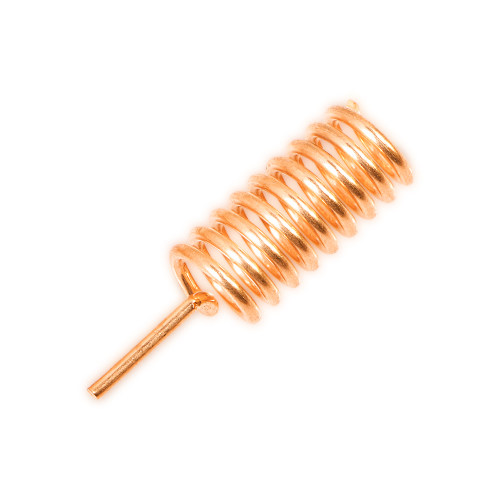
SW868-ZD210 operates from 850–880 MHz, has a rated gain of 3.0 dBi, and uses vertical polarization. Keep the antennas at both ends aligned for the same polarization and as far away from metal structures as practical. If the antenna, enclosure, or mounting orientation changes, retest communication performance or include the additional loss in L_add.

SW868-ZD210 folding rod antenna used in the field test
Conduct field tests with LoRa2021 DEMO boards
Identify the source of every value in the link-budget table: data sheet, calculation, or estimate. If measured interconnect and additional losses are not yet available, use provisional estimates and replace them with measured values after the prototype is complete.
A field test requires two LoRa2021 DEMO boards. Before testing, configure the same modulation mode, frequency, SF, BW, and coding rate at both ends, and record the transmit power of each unit separately. At each test point, first note the Tx_cnt and Rx_cnt displayed on both DEMO boards, then record them again at the end of the test. Subtracting the starting value from the ending value gives the numbers sent and received during that run. Use these values to calculate packet loss in both directions:
A→B packet loss rate =
(A packets sent - B packets received) ÷ A packets sent × 100%
B→A packet loss rate =
(B packets sent - A packets received) ÷ B packets sent × 100%
Packets sent during the run = ending Tx_cnt - starting Tx_cnt
Packets received during the run = ending Rx_cnt - starting Rx_cnt
Because Tx_cnt and Rx_cnt accumulate continuously, subtract the starting values from the ending values to count only the packets sent and received at the current test point.

LoRa2021 DEMO V1.0 field-test board
The Tx_cnt and Rx_cnt values on the DEMO board count transmitted and received packets. To record the RSSI and SNR of every packet, use firmware or a host interface capable of reading and storing those values. Measuring module transmit power and receive sensitivity requires RF instruments such as a spectrum analyzer and signal generator.
Before testing, define the highest acceptable packet loss rate, the required duration of continuous testing, the time periods to cover, and whether retries are allowed. For bidirectional communication, measure A→B and B→A separately because the power supply, antenna, mounting height, and local interference conditions may differ between the two ends.
For module selection or a design review, compile the budget parameters, test results, and deployment requirements together:
- Actual transmit power and the receive sensitivity corresponding to the selected SF and BW;
- Feedline, connector, and external matching losses beyond the ANT ports;
- Free-space path loss, the first Fresnel zone, and the locations of obstacles along the path;
- Packet loss rate in both directions, number of packets per run, test distance, and antenna height;
- Frequency-band and transmit-power requirements applicable in the deployment region.
If you would like our help selecting the LoRa2021 frequency-band version and matching antenna or developing a field-test plan, provide the target frequency band, communication distance, installation environment, data volume, power source, and deployment region.
References
- NiceRF LoRa2021 product page
- NiceRF LoRa2021 Dual-Band Wireless Communication Module Rev 1.3
- NiceRF LoRa2021 communication range and packet reception test
- NiceRF SW868-ZD210 868 MHz Folding Rod Antenna
- NiceRF LoRa2021 DEMO Board Operation Tutorial
- ITU-R P.525-5, Calculation of free-space attenuation
- ITU-R P.526-16, Propagation by diffraction
- Semtech AN1200.22 LoRa Modulation Basics (official SX1276 resource page)
Related Articles
Contact Us
 +86-755-23080616
 sales@nicerf.com
Website: https://www.nicerf.com/
Address: 309-315, 3/F, Bldg A, Hongdu business building, Zone 43, Baoan Dist, Shenzhen, China
Related Products