

 English


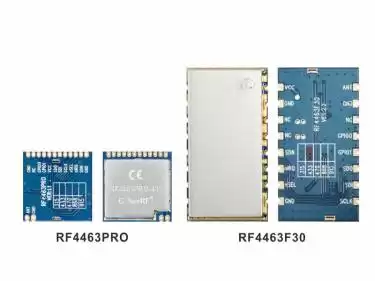
Difference between Si4463 RF module RF4463Pro and RF4463F30
RF4463Pro and RF4463F30 are both Si4463 RF modules launched by NiceRF. The following are the commonalities and differences between these two RF module
Sep . 2025
Integrating the DMR858M module with a microcontroller (such as the ESP32 used here) requires focusing on three main aspects: power supply, control logic, and audio interface. This section provides a proven reference design to ensure stable system operation.
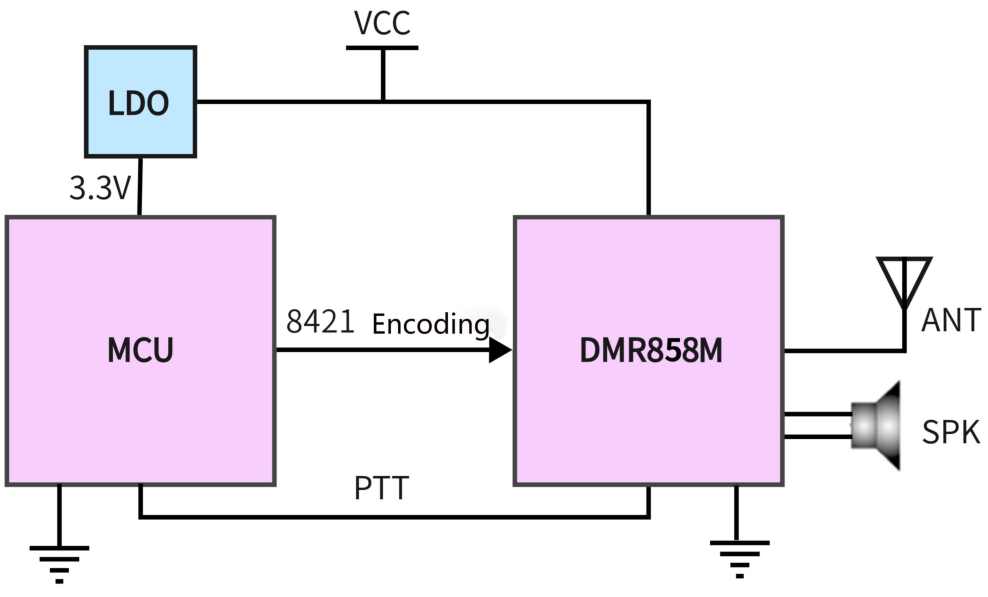
Power supply design is the most easily overlooked and most common point of failure when integrating high-power RF modules. When the DMR858M transmits at 5W high power with an 8V supply, the peak current can reach 910mA or even higher. Any attempt to directly power the module using the 5V USB input or the 3.3V LDO on an ESP32 development board will fail.
A robust power system must meet the following requirements:
Independent Power Unit: Use an external power source capable of providing at least 8V and over 2A of current, such as a lithium battery pack (2S Li-Po/Li-ion) with a buck-boost converter, or a stable DC power adapter.
Excellent Transient Response: The key issue is not just the average current the power supply can provide, but its response speed to load transients. When the module switches instantly from receive mode (current < 165mA) to transmit mode (current > 900mA), it creates a huge instantaneous current spike (dI/dt). If the power supply's transient response is inadequate, or if the power traces on the PCB are too long and thin (introducing significant parasitic inductance and resistance), the system voltage will drop momentarily.
Chain Effect of Voltage Sag: This voltage drop is the root cause of many hard-to-debug "ghost" issues. The ESP32 has a built-in Brown-out Detection circuit, which triggers a system reset to protect itself when its supply voltage falls below a certain threshold. Therefore, what appears to be a "power" issue may manifest as the program randomly restarting when the PTT button is pressed. Additionally, an unstable supply voltage can interfere with UART communication, leading to data transmission errors.
Solution: To avoid these problems, large decoupling capacitors must be placed near the VCC pin of the DMR858M module. It is recommended to use a 100µF to 470µF electrolytic capacitor in parallel with a 0.1µF ceramic capacitor (the former for handling low-frequency high-current demands, the latter for filtering high-frequency noise). Also, ensure that the VCC and GND traces from the power source to the module are as short and wide as possible to minimize line voltage drop.
The module's control and data exchange are primarily handled through GPIO and UART.
UART Communication: Connect one of the ESP32's hardware serial ports (e.g., UART2, corresponding to GPIO16 and GPIO17) to the DMR858M's RXD (pin 19) and TXD (pin 18). Note the crossover connection: ESP32's TX connects to the module's RX, and ESP32's RX connects to the module's TX.
PTT (Push-to-Talk): PTT control is very straightforward. Connect a GPIO pin from the ESP32 to the module's PTT (pin 5). This pin is active low, meaning the module enters transmit mode when the GPIO outputs a low level.
Audio Input: The module's MIC+ (pin 14) and MIC- (pin 13) are used to connect an external microphone. The datasheet specifies that a bias voltage is provided internally, so an electret microphone can be connected directly without an additional bias circuit.
Audio Output: The module's OUTP (pin 11) and OUTN (pin 12) are differential audio outputs that can directly drive an 8-ohm speaker.
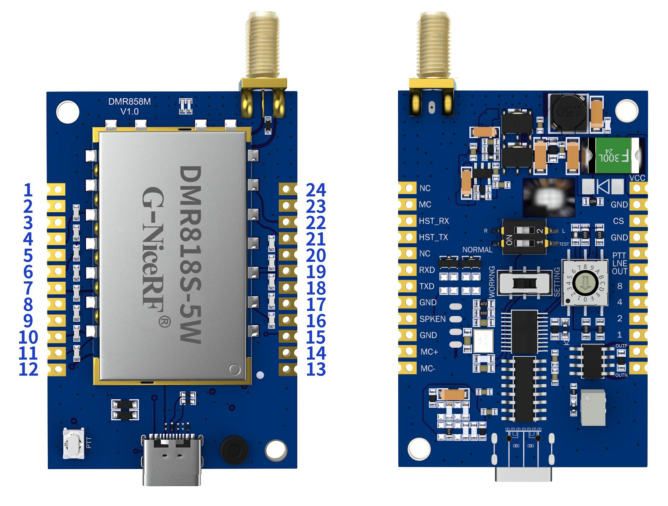
Table 2: ESP32 to DMR858M Pin Mapping Reference
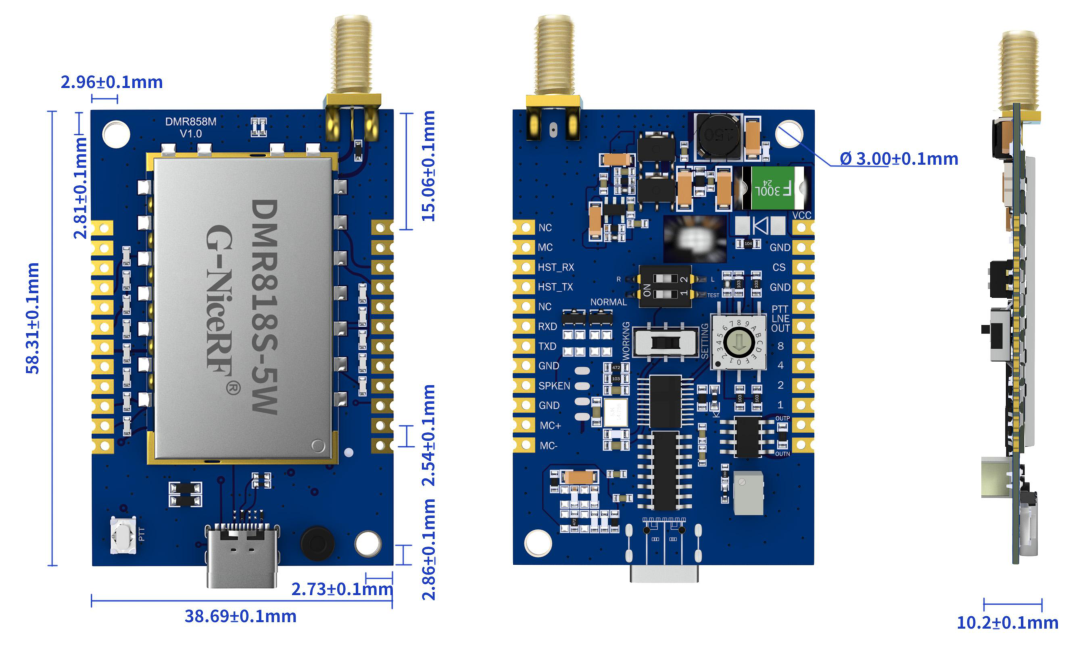
Part 1: In-depth Analysis of the DMR858M Module
Part 2: Hardware Integration and Reference Design
Part 3: Deconstructing the Serial Control Protocol
Part 4: Firmware Development and Driver Design
Part 5: Exploring Advanced Features and Conclusion
 +86-755-23080616
 sales@nicerf.com
Website: https://www.nicerf.com/
Address: 309-315, 3/F, Bldg A, Hongdu business building, Zone 43, Baoan Dist, Shenzhen, China


Privacy Policy
· Privacy Policy
There is currently no content available
Email:sales@nicerf.com
Tel:+86-755-23080616